Back when Lilla and Neal visited us at Jerry’s Acres, Neal suggested that we were in for a winter of heavy snow. His reasoning was based on a news story he had seen about the local Skunk Cactus — or at least he thinks that’s what the newscaster called this weed, and I think that’s what he called it.
Neal mentioned how the height at which the seed pods begin is an indication of that season’s snowfall depth. Based on a recent weather report from home, sent to us by Codie Rae’s people, I’m starting to believe him…
Red Feather Lakes: Snow and areas of blowing snow before midnight, then snow likely and areas of blowing snow after midnight. Low around 14. Wind chill values as low as -5. North northwest wind between 14 and 16 mph, with gusts as high as 25 mph. Chance of precipitation is 90%. Total nighttime snow accumulation of 5 to 9 inches possible.
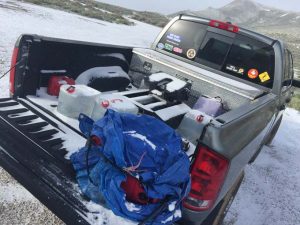
Needless to say, I believe we left just in time. Based on the reports we’re getting from back home, we would have likely been stuck there quite a while – if not all winter – had we not pulled away when we did. That, or we would have been digging out the trailer to hit the road.
But we haven’t exactly headed to warmer climes, yet. Our second night here in Fernley, our hose froze. We had forgotten to leave a faucet dripping overnight. Keeping the water moving through the hose will help it from freezing solid and ensure you have running water in the morning. Insulating the hose with foam pipe-wrap available in the plumbing section of any home supply store also helps. As does having water in your fresh water tank as a backup.
How quickly we forget these things after staying put for a few months. I remember first seeing an RVer fuss with a frozen hose at a riverside park in Ashville, NC two years ago and laughing. The other morning it was my turn. After struggling to thaw things out enough to get our water flowing, we have now practiced these precautionary measures I preach. Good thing René hadn’t yet begun her early morning shifts at the Amazon warehouse!
During our stay at Landa Park in New Braunfels earlier this year, I thought we discovered the headquarters of HughesNet, our mobile satellite internet service provider. But it was just some company with the same name that I have decided to call the team at Hughes: FAPCo
FAP (Fair Access Policy) n: A download threshold assigned by Hughes to each HughesNet service plan that limits the amount of data that may be downloaded during a typical day. A small percentage of subscribers who exceed this limit will experience a temporary reduction of speed.
Ha! Temporary? Reduction? Like I said, Ha! You definitely know when you’ve been FAP’d, because your connection will crawl to a virtual halt. Without warning. And it can stay that way for up to 24 hours.
Our service plan comes with a daily download threshold of 375 MB. Every once in a while, if we don’t pay attention to how much time we spend online – or what we download – in a given day, we may get FAP’d. But during our stay at Landa it happened a number of times. Enough to think someone was piggybacking our network. But we’ve learned to lock it down tight, and one look around made us really question if any of our neighbors were capable of hacking us. So we sought a better method for monitoring our daily HughesNet account usage. Here’s what we discovered …
Our fellow full-time geek friend Sean, of Our Odyssey told us about the HughesNet FAP Monitor. This Windows-only utility displays an icon indicating your current HughesNet usage status and warns of any imminent Fair Access Policy violation. We’re no dummies, but had a terrible time getting this to work on Rene’s machine, but with Sean’s perseverance we got it configured and working. For a while. One day it just stopped working. And we gave up trying to fix it after discovering various discussions about HNFP not working.
The one thing the HughesNet FAP Monitor was good at, while it worked, was making René obsessed about our current FAP status. So I quit trying to make it work after finding a better solution. One that works on my Mac (or any machine) and isn’t always flashing in my face.
This method lets me check our threshold status, when I want to. The script adds a “Remaining (MB)” column to our HughesNet usage page with convenient color-coding to indicate when we should step away from the computers for a while. It was simple to set up, here’s how …
This isn’t to say we’ll never get FAP’d again, but at least we can easily monitor our usage now without getting all obsessive about it.
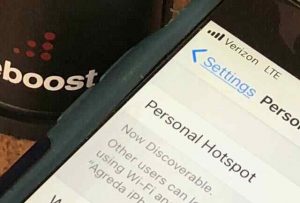
Since drafting this post we have discovered an even better way to avoid the FAP. We have gone redundant, and now also have a Verizon Wireless MiFi 2200 Intelligent Mobile Hotspot. This allows us to spread our bandwidth usage over two different accounts. It also gives us two methods to connect, in case there is something blocking our satellite, or we have n cell phone coverage. More about this later…
Now that we’re getting a new iPod, maybe I can convince René we need an iPhone! Just check out this amazing new iPhone app that lets you easily find any satellite…
This next generation satellite finder is straight out of Star Trek! What will they think of next? Simply point your iPhone anywhere towards the sky and all the satellites will appear on the live video screen. Kinda surreal and freaky, if you ask me.
The best part? Again, if you ask me … Now you can easily tell which trees will block which satellite. That’s a good enough reason for me to buy a new iPhone! Sure, like that’s gonna happen.
This new DishPointer Augmented Reality application uses the accelerometer and the compass of the new iPhone 3GS. The compass apparently has a bit of a lag, so when spinning the phone right or left the satellite belt is shifted with a slight delay but up and down works in real time.
Of course, I would have first hand experience with this if I had an iPhone. I only know because Alan let us know about this and other cool satellite iPhone apps he’s been working on over at dishpointer.com. My first post about his DishPointer satellite alignment widget has been one of our most popular posts here, so I just had to share this new cool tool!
Here’s another one of those “luxury” purchase decisions that make one contemplate that old want vs. need dilemma.
In reality, we want a new iPod because the refurbished one we bought over two years ago no longer works. But we believe we need one because traveling cross country can drive one batty when forced to consistently fuss with the radio dial only to find the same static, classic rock, and religion. And two batty people can only take being trapped in a truck for hours a day with Eddie Money and Styx for so long.
And the former is easily answered not only because I am a Mac Addict, but I did my homework. I had no idea iPods even came with such great capacity now, so we need not be selective now about which music we add. And I am still upset over the short lifespan of our refurb – the one we originally had to return for another unit. The same one in which I replaced the battery without improving it’s playtime. But there I go digressing again. I also I discovered certain lesser capacity third-party MP3 players cost even more than the Apple iPod. That, and because we don’t need an iTouch.
You know all those appliance manuals that came with you RV? Dig them out from under the bed and read them, at least once a year. It will remind you of certain things you need to maintain to keep your rig in prime operating condition.
Take for instance the water heater. It has an easily accessible anode rod that should be replaced at least annually. All RV water heaters are protected by this magnesium or aluminum anode to prolong the life of the tank by absorbing the corrosive action of hot water. Basically, it will corrode before the tank does. And if it corrodes entirely, it can no longer do its job.
This is just one of those little things we forgot all about. And we are not alone. But it is also one of the most simple items on the honey-do list of any RVer. Just make sure the hot water has been turned off for a while or you may get scalded, and that your hose is disconnected so the system is not pressurized.
Then release any pressure in the water heater tank by pulling its relief valve. Now get yourself a deep socket – the rod in our Suburban water heater has 1 1/16″ head – and loosen the threaded anode rod at the bottom of the water heater. (Yes, from outside your rig.) Let all the water drain and flush out any debris with a hose. this took me a while because we had accumulated quite a bit of debris as you can see by how our old anode looked.
Replacement anode rods can be found at any RV parts counter or service center. To prevent leakage, apply teflon tape to the threads before screwing in the new anode. Make sure it is screwed in straight and secure, fill the tank, run a faucet to allow any trapped air to escape, turn on the heater, and you’re set for another few months. Or at least until you remember you forgot all about the water heater anode again.