Posts Tagged “MotoSat”
Feb
11
2010
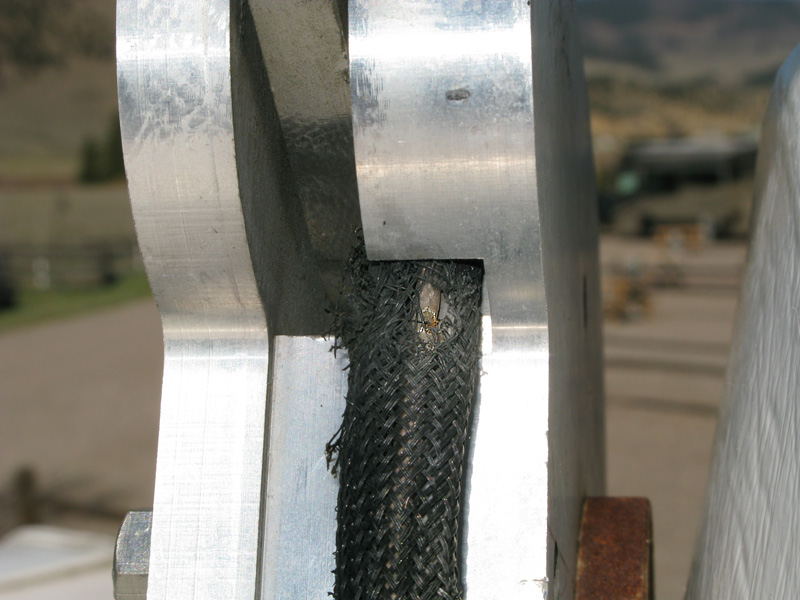
Mission Accomplished, Once AgainPosted by Jim in RV Tech, Work, tags: Datastorm, internet, MotoSat, Repairs, satellite, warrantySo the new elevation motor for our F2 satellite dish finally arrived. Many thanks to Solar Mike for letting us use his address. But of course the package did not include any of the insulated Scotch Locks I was promised it would. Big surprise, it was hard enough getting a tracking number from MotoSat. “If you’re near a Lowe’s or home Depot…” the MotoSat tech started to tell me where I could get some Scotch Locks. I cut him off with a laugh, “Yeah, right!” A couple standard insulated wire connectors I had would have to do the trick. After a day of brief flash floods, and too many days of sharing our MiFi wireless internet connection, I was able to quickly and easily replace the motor set – thus completing yet another repair on our dish. All seemed well as the dish successfully completed its calibration. Then upon search, it returned a motor stall error, azimuth this time. Big Surprise. Sending the dish up again resulted in success. A fluke? Perhaps. But something didn’t seem right. When the dish went down, it’s azimuth was way off. While the D3 controller reported 0º azimuth, the dish was clearly out of alignment. After a couple more tests we could could not reproduce the error. So we are back online with good ol’ satellite 91 West – telling ourselves again that if it ain’t broke, don’t fix it. Deep down we are hoping we don’t have another motor going bad, however, because MotoSat informed us of an interesting clause in their warranty agreement. All replacement parts are only covered under warranty from the original system purchase date. So the replacement motors – yes, motors plural – we have installed, are only covered until our original warranty is up. A date which is quickly approaching. As I said, big surprise.
Jan
30
2010
EagleSat Delivers Superior MotoSat SupportPosted by Jim in RV Tech, Spending Money, Work, tags: EagleSat, internet, MotoSat, Slab City, the slabsHere’s a long overdue shout out to the fine folks at EagleSat. This small family-owned business in Longmont, CO serviced our MotoSat satellite internet system the last time we had problems. Which was apparently not the last time.
We weren’t about to return to Salt Lake City again, and pickings were slim for mobile internet experts in Wellington, CO. Our choices were an upholstery shop that sold MotoSat systems in nearby Fort Collins, or driving a couple hours to EagleSat. We opted for the latter and were glad we did. One phone call to Frank, and we had an appointment scheduled and parts on the way. The next week we spent a day with he and his son Adam working on our rig, and we were home before dark. They cleaned up our entire system, replaced all the motors, and yes, even upgraded the D3 firmware. So here we sit now, waiting for another elevation motor set to arrive. As soon as we set up here on the slabs, the dish wouldn’t budge. After troubleshooting all I could, the first person I called was Adam. He was polite, generous with his time, and helped me determine that both our elevation motor was shot, and I could do the repair myself. All I had to do was call MotoSat for the part. Oh that, and find an address for shipping.
But there I go digressing once again. It’s just a good thing we now have our MiFi for internet service redundancy! I could think of worse places than Slab City, USA to be waiting on parts. Ones that cost money for instance. But if I run into any challenges putting our F2 mount back together, I know who I’ll be calling … EagleSat is a satellite communications company specializing in remote site connectivity and network interoperability. They offer premium mobile satellite solutions for commercial use and the recreational consumer (Motor Coaches and RV’s). EagleSat offers a full-line of mobile satellite systems for Internet access (voice and data) and/or television reception. And they know their stuff – there is a reason they service MotoSat systems, but not sell them!
Dec
06
2009
Finding the Best Position for MotoSAT Internet AccessPosted by Jim in Boondocking, Full-Timing Tips, Live, RV Tech, tags: Boondocking, internet, MotoSat, positioning, satellite, solar
So, I always make it a point to make sure ours is current before calling for support. I also turn to others for help. Like Sean who had this advice regarding the best positioning for quick access…
Well, it turns out that compass calibration isn’t even possible with our dish. One expert installer informed us that only older systems have a compass. But we recently tested Sean’s parking position theory when it took forever for our system to identify any signal. We had inadvertently parked with 91W directly to the rear of our rig. Sure enough, when we relocated and parked pointing a little more West, we were online within a couple minutes. This position works best for us anyway, especially when boondocking. Doing so prevents the dish’s large shadow from covering our solar panel throughout the day.
Oct
21
2009
How to monitor your F@#% Access PolicyPosted by Jim in Full-Timing Tips, RV Tech, Rants & Raves, Work, tags: FAP, internet, MotoSat, satelliteDuring our stay at Landa Park in New Braunfels earlier this year, I thought we discovered the headquarters of HughesNet, our mobile satellite internet service provider. But it was just some company with the same name that I have decided to call the team at Hughes: FAPCo
Our service plan comes with a daily download threshold of 375 MB. Every once in a while, if we don’t pay attention to how much time we spend online – or what we download – in a given day, we may get FAP’d. But during our stay at Landa it happened a number of times. Enough to think someone was piggybacking our network. But we’ve learned to lock it down tight, and one look around made us really question if any of our neighbors were capable of hacking us. So we sought a better method for monitoring our daily HughesNet account usage. Here’s what we discovered … Our fellow full-time geek friend Sean, of Our Odyssey told us about the HughesNet FAP Monitor. This Windows-only utility displays an icon indicating your current HughesNet usage status and warns of any imminent Fair Access Policy violation. We’re no dummies, but had a terrible time getting this to work on Rene’s machine, but with Sean’s perseverance we got it configured and working. For a while. One day it just stopped working. And we gave up trying to fix it after discovering various discussions about HNFP not working. The one thing the HughesNet FAP Monitor was good at, while it worked, was making René obsessed about our current FAP status. So I quit trying to make it work after finding a better solution. One that works on my Mac (or any machine) and isn’t always flashing in my face.
This method lets me check our threshold status, when I want to. The script adds a “Remaining (MB)” column to our HughesNet usage page with convenient color-coding to indicate when we should step away from the computers for a while. It was simple to set up, here’s how …
This isn’t to say we’ll never get FAP’d again, but at least we can easily monitor our usage now without getting all obsessive about it.
|


Entries (RSS)