Posts Tagged “satellite”
Feb
11
2010
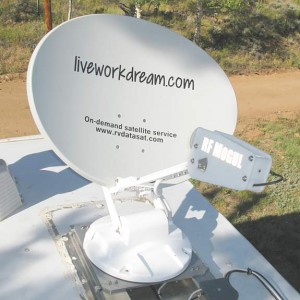
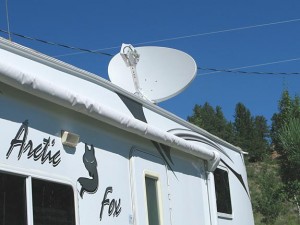
Mission Accomplished, Once AgainPosted by Jim in RV Tech, Work, tags: Datastorm, internet, MotoSat, Repairs, satellite, warrantySo the new elevation motor for our F2 satellite dish finally arrived. Many thanks to Solar Mike for letting us use his address. But of course the package did not include any of the insulated Scotch Locks I was promised it would. Big surprise, it was hard enough getting a tracking number from MotoSat. “If you’re near a Lowe’s or home Depot…” the MotoSat tech started to tell me where I could get some Scotch Locks. I cut him off with a laugh, “Yeah, right!” A couple standard insulated wire connectors I had would have to do the trick. After a day of brief flash floods, and too many days of sharing our MiFi wireless internet connection, I was able to quickly and easily replace the motor set – thus completing yet another repair on our dish. All seemed well as the dish successfully completed its calibration. Then upon search, it returned a motor stall error, azimuth this time. Big Surprise. Sending the dish up again resulted in success. A fluke? Perhaps. But something didn’t seem right. When the dish went down, it’s azimuth was way off. While the D3 controller reported 0º azimuth, the dish was clearly out of alignment. After a couple more tests we could could not reproduce the error. So we are back online with good ol’ satellite 91 West – telling ourselves again that if it ain’t broke, don’t fix it. Deep down we are hoping we don’t have another motor going bad, however, because MotoSat informed us of an interesting clause in their warranty agreement. All replacement parts are only covered under warranty from the original system purchase date. So the replacement motors – yes, motors plural – we have installed, are only covered until our original warranty is up. A date which is quickly approaching. As I said, big surprise.
Jan
25
2010
Wrong Turns, Mishaps and Motosat Problems With a SmilePosted by Rene in Boondocking, Full-Timing Tips, Live, tags: Boondocking, California Desert, Full-Timing Tips, lifestyle, MiFi, road trip, RV lifestyle, satellite, Slab City, Tripawds.comWe hit the road yesterday for the first time since early December. And as with all first days on the road, things didn’t go quite as smoothly as we would have liked. We are definitely rusty. First, we missed our exit to the Slabs, and almost ended up in Quartzsite. Drove about 25 miles out of our way. Next, when we were in search of water, we took a wrong turn and drove another 10 miles in the opposite direction. The small road we were on was so flooded from the recent rains, we couldn’t find a dry enough place to turn around.
As I proceeded to clean up the mess, Jim tried to turn on the Motosat dish. Guess what? That pain in the ass dish is acting up again, and won’t go up. Thank Dog we have Internet redundancy with our MiFi setup. If we couldn’t get online to manage Tripawds, we would be on our way to the nearest service shop. Apparently our F2 motor is dead . . . again. All this, during our first day back on the road. In the past, I might have fallen apart at so many mishaps in one day. Because when you’re new on the road, multiple screw ups in one day happen a lot, and they can be upsetting. At least to me they were. Jim’s always been a little better about not letting them get him down. But after almost three years on the road, I’m happy to say that we are both able to handle these things with a smile. A few cocktails also work wonders. Good thing we’re stocked up.
Dec
06
2009
Finding the Best Position for MotoSAT Internet AccessPosted by Jim in Boondocking, Full-Timing Tips, Live, RV Tech, tags: Boondocking, internet, MotoSat, positioning, satellite, solar
So, I always make it a point to make sure ours is current before calling for support. I also turn to others for help. Like Sean who had this advice regarding the best positioning for quick access…
Well, it turns out that compass calibration isn’t even possible with our dish. One expert installer informed us that only older systems have a compass. But we recently tested Sean’s parking position theory when it took forever for our system to identify any signal. We had inadvertently parked with 91W directly to the rear of our rig. Sure enough, when we relocated and parked pointing a little more West, we were online within a couple minutes. This position works best for us anyway, especially when boondocking. Doing so prevents the dish’s large shadow from covering our solar panel throughout the day.
Oct
21
2009
How to monitor your F@#% Access PolicyPosted by Jim in Full-Timing Tips, RV Tech, Rants & Raves, Work, tags: FAP, internet, MotoSat, satelliteDuring our stay at Landa Park in New Braunfels earlier this year, I thought we discovered the headquarters of HughesNet, our mobile satellite internet service provider. But it was just some company with the same name that I have decided to call the team at Hughes: FAPCo
Our service plan comes with a daily download threshold of 375 MB. Every once in a while, if we don’t pay attention to how much time we spend online – or what we download – in a given day, we may get FAP’d. But during our stay at Landa it happened a number of times. Enough to think someone was piggybacking our network. But we’ve learned to lock it down tight, and one look around made us really question if any of our neighbors were capable of hacking us. So we sought a better method for monitoring our daily HughesNet account usage. Here’s what we discovered … Our fellow full-time geek friend Sean, of Our Odyssey told us about the HughesNet FAP Monitor. This Windows-only utility displays an icon indicating your current HughesNet usage status and warns of any imminent Fair Access Policy violation. We’re no dummies, but had a terrible time getting this to work on Rene’s machine, but with Sean’s perseverance we got it configured and working. For a while. One day it just stopped working. And we gave up trying to fix it after discovering various discussions about HNFP not working. The one thing the HughesNet FAP Monitor was good at, while it worked, was making René obsessed about our current FAP status. So I quit trying to make it work after finding a better solution. One that works on my Mac (or any machine) and isn’t always flashing in my face.
This method lets me check our threshold status, when I want to. The script adds a “Remaining (MB)” column to our HughesNet usage page with convenient color-coding to indicate when we should step away from the computers for a while. It was simple to set up, here’s how …
This isn’t to say we’ll never get FAP’d again, but at least we can easily monitor our usage now without getting all obsessive about it.
Oct
11
2009
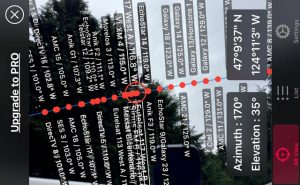
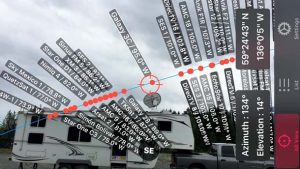
New Satellite Finder iPhone ApplicationPosted by Jim in RV Tech, Rants & Raves, Spending Money, tags: internet, mobile, money, satellite, videoNow that we’re getting a new iPod, maybe I can convince René we need an iPhone! Just check out this amazing new iPhone app that lets you easily find any satellite… This next generation satellite finder is straight out of Star Trek! What will they think of next? Simply point your iPhone anywhere towards the sky and all the satellites will appear on the live video screen. Kinda surreal and freaky, if you ask me. The best part? Again, if you ask me … Now you can easily tell which trees will block which satellite. That’s a good enough reason for me to buy a new iPhone! Sure, like that’s gonna happen. This new DishPointer Augmented Reality application uses the accelerometer and the compass of the new iPhone 3GS. The compass apparently has a bit of a lag, so when spinning the phone right or left the satellite belt is shifted with a slight delay but up and down works in real time. Of course, I would have first hand experience with this if I had an iPhone. I only know because Alan let us know about this and other cool satellite iPhone apps he’s been working on over at dishpointer.com. My first post about his DishPointer satellite alignment widget has been one of our most popular posts here, so I just had to share this new cool tool! |


Entries (RSS)